
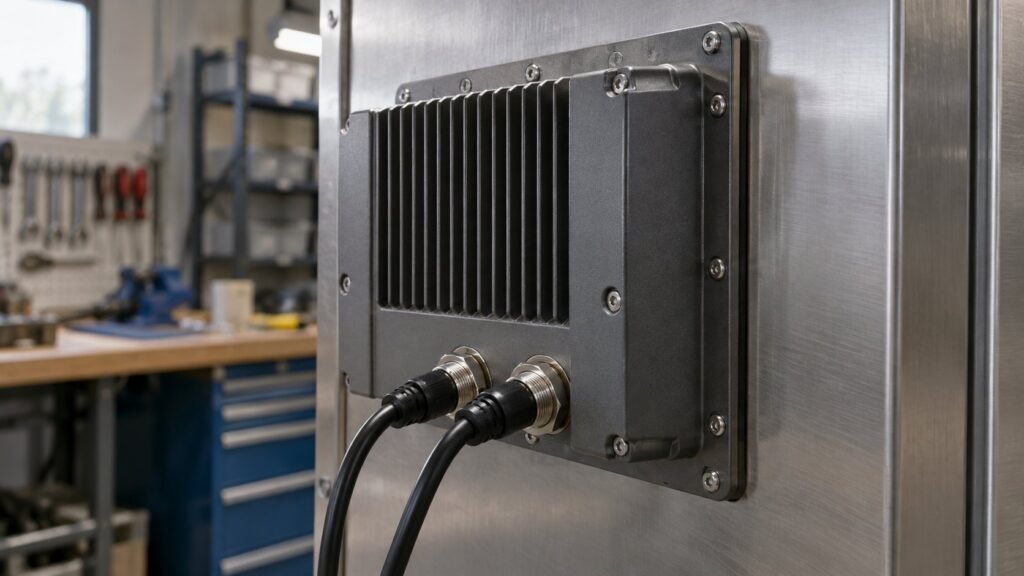
A front IP65 bezel tells you nothing about the back of the housing. That’s the gap installers miss. A sealed rear connectors panel mount monitor keeps water and dust out where the cabling lives, not just behind the glass. A standard DVI or USB pigtail pushed through a drilled hole undoes that spec sheet fast.
This post covers what happens behind the panel. We look at when rear sealing actually matters and what M12 bulkhead fittings do that a grommet can’t. We also cover how IronView builds rear housings across the 17.3″, 18.5″ and 19″ range. We skip touch technology and brightness figures here. We stick to the wiring path from field cable to circuit board.
Why a Standard Rear Cutout Fails on a Washdown Line
Most panel mount monitors ship with a DVI-D or HDMI pigtail and a USB lead for touch. Both end in a plain cable tail. Installers drill a hole in the enclosure wall and feed the cable through. Then they seal around it with silicone or a basic grommet. That holds until the enclosure sees a temperature swing. Warm air inside condenses on the cooler steel wall. Any gap at that grommet lets water track along the cable jacket into the connector shell.
We see two failure patterns in the field. One is water ingress through the cutout itself. The other is condensation forming inside a sealed but unventilated enclosure with nowhere to drain. Front IP65 or even IP66 glass doesn’t touch either problem. That rating covers the bezel gasket and lens, not the rear housing or the cable entry. A sealed rear connectors panel mount monitor solves the first failure mode directly. Enclosure venting and desiccant handle the second.
See also: Einbau Monitore mit Frontplatte: The Cutout Guide
M12 Bulkhead Connectors: What Actually Seals the Panel Wall
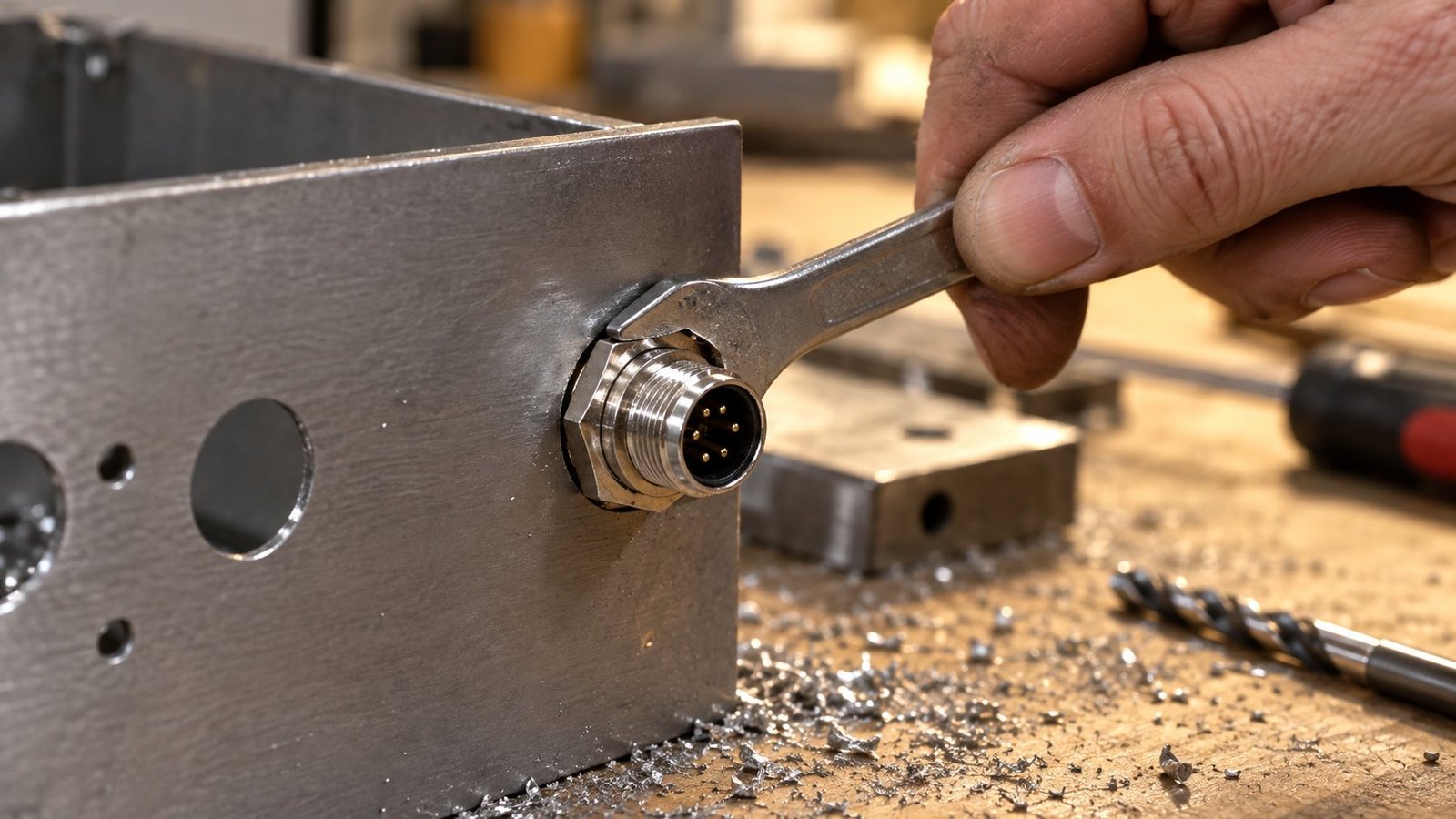
Per Industrial Monitor Direct’s sourcing guide for panel bulkhead fittings, the seal comes from the fitting itself, not the hole. An M12 connector industrial monitor setup relies on a threaded lock ring and an O-ring at the panel wall. That’s the seal — not the cutout, not the gland. The connector mounts through a drilled and tapped hole. The O-ring compresses against the steel and the lock ring holds it under vibration. Water has nowhere to get past.
The same guide notes M12 fittings come rated to IP67, and some to IP69K. That matters on a washdown line running hot pressure jets. An IP67 rear panel monitor spec means the rear housing and its connectors survive brief immersion, not just spray. Digikey’s comparison of M12 against alternative connectors points out a second advantage: M12’s dimensions are standardised across vendors. A panel-mount socket from one supplier pairs with a cable connector from another. That matters on a retrofit where you’re mixing brands of PLC, sensor and monitor on the same line.
See also: Rack Mount Industrial Monitor Fit Checklist
Sealed Rear Connectors Panel Mount Monitor: When You Need One
Rear sealing earns its cost on three site types. First, washdown lines — food, beverage, pharma — where hoses or CIP cycles hit the enclosure directly. Second, outdoor or unheated cabinets, where day-night temperature swings pull condensation onto the connectors. Third, dusty plants — grain, cement, woodworking — where fine particles work into any gap over months, not days. On any of these, we build a sealed rear connectors panel mount monitor as standard, not an option.
- Connector count and gender — how many M12 sockets the rear housing needs for video, power and touch or USB.
- IP rating of the fitting itself, not just the bezel — IP67 as the field-standard, IP69K for hot-wash lines.
- Thread size and cutout diameter — M12 fittings need a clean, deburred hole matched to the datasheet, not a hand-drilled guess.
- Cable gland monitor enclosure option — one multi-core cable through a single PG9 or PG11 gland, for builds where a full M12 loom isn’t justified.
M12 bulkhead connectors cost more than a bare pigtail and a grommet. Expect roughly £8 to £20 per fitting, against a few pence for a grommet. Lead time is the bigger factor. Industrial Monitor Direct’s sourcing notes flag 12 to 14 weeks for brand-matched custom orders. Stock delivery is faster when you mix compatible vendors instead. A fully potted cable is moulded straight onto the monitor, with no field-serviceable connector. It sidesteps the lead time and seals just as well. But you lose the ability to swap a cable without swapping the monitor. For a machine that never moves, potted is often the simpler spec. For anything on a mixed line with several connector types, bulkheads win on serviceability.
IronView Rear Housings Across the 17.3″, 18.5″ and 19″ Range
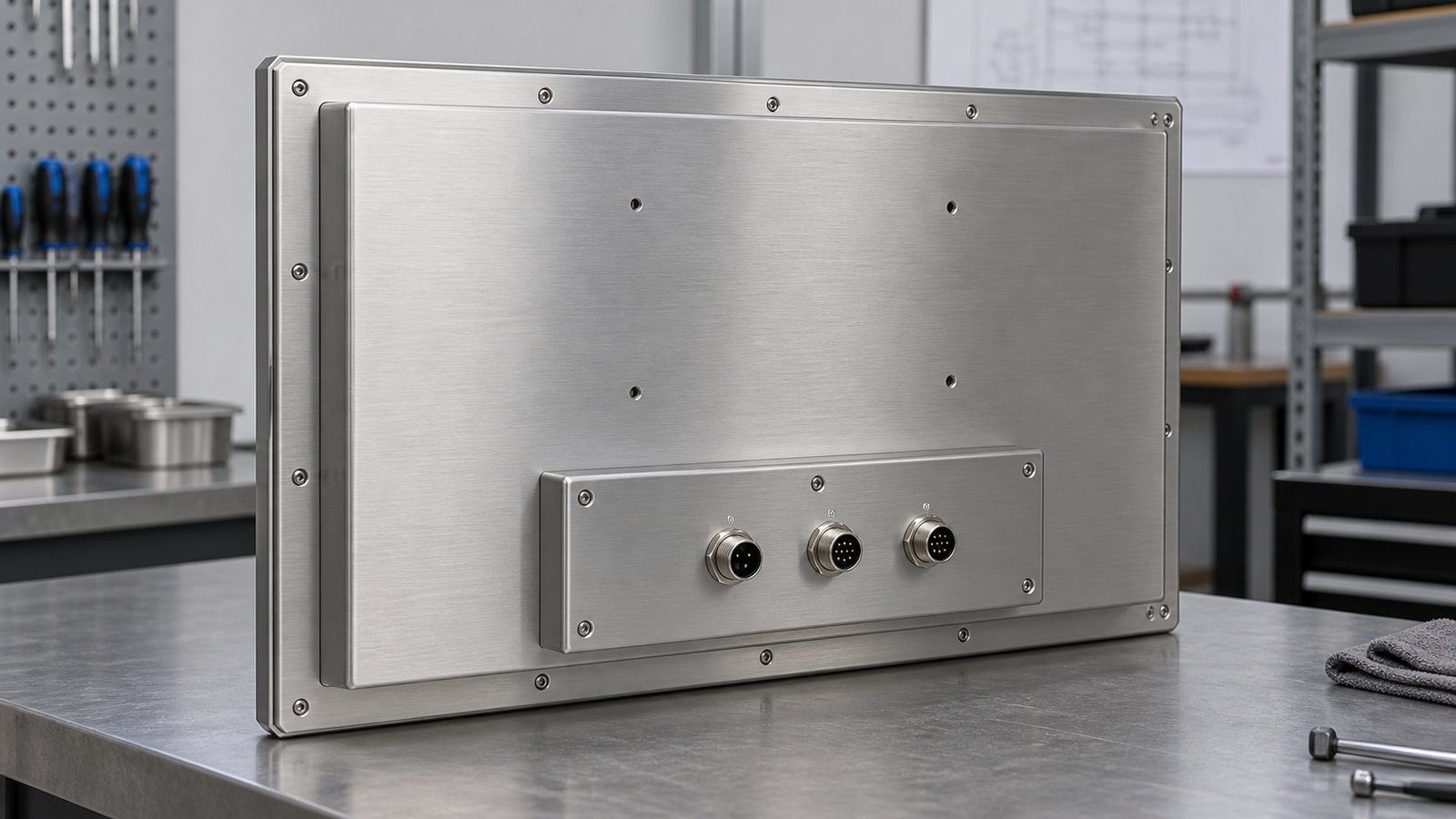
Across the 17.3″, 18.5″ and 19″ range, we build the rear housing to order. The base spec is a fully sealed rear compartment behind a gasketed access plate. Power enters through a single M12 A-coded connector. Video and USB run through separate M12 connectors, D-coded for Ethernet-style signal integrity. Some builds use a combination panel with DB9 and RJ45 bulkheads instead, where a customer’s PLC network needs both. Installers route field cable to the enclosure wall first. They terminate the mating M12 connector there. Only then do they dress the short internal run back to the monitor. That keeps the vulnerable joint — the one at the cutout — down to a single sealed connection. There’s no coil of loose cable inside the enclosure. It’s a standard detail across our industrial panel mount monitors, not a paid upgrade.
FAQ: Sealed Rear Connectors and Panel Mount Monitors
Does IP65 on the front mean the rear is sealed too?
No. IP65 on a datasheet almost always describes the front bezel and touch glass only. Check the rear housing rating separately. Ask for the IP figure on the connector and cable entry, not just the display.
Can I retrofit M12 bulkheads onto an existing panel cutout?
Usually yes, if the existing hole is close to the fitting’s cutout diameter. You’ll need to re-drill or bush the hole to size, then fit the O-ring and lock ring per the connector datasheet. A loose or oversized cutout won’t seal, whatever fitting you use.
Do I need IP69K at the rear, or is IP67 enough?
An IP67 rear panel monitor spec covers splash and brief immersion, which suits most washdown lines. Reserve IP69K for high-pressure, high-temperature hose-down — food lines running 80°C water at 100 bar, for example.
Is a cable gland cheaper than M12 connectors?
Yes, per fitting. A cable gland monitor enclosure with one multi-core cable and a single PG gland costs less than a multi-connector M12 loom. It’s the right call for a clean control room, not for a washdown or outdoor site.
Specify the Rear Housing Before You Specify the Bezel
Front glass rating gets the attention because it’s the number everyone compares on a spec sheet. The rear housing is where washdown failures actually start. Before you sign off on a panel mount monitor, ask what’s rated back there — connector type, IP figure, cable entry — not just what’s rated at the front. Our panel mount monitor range lists the rear housing options for each size, so you can match the connector to the site before the unit ships.


